Make requirements specific
A document requirement has a name, description, licence-category scope and required flag. You decide whether multiple files are allowed. Students and staff can see which document belongs where.
Define required documents by licence category, collect uploads in the student record and work with templates and document-specific signatures.
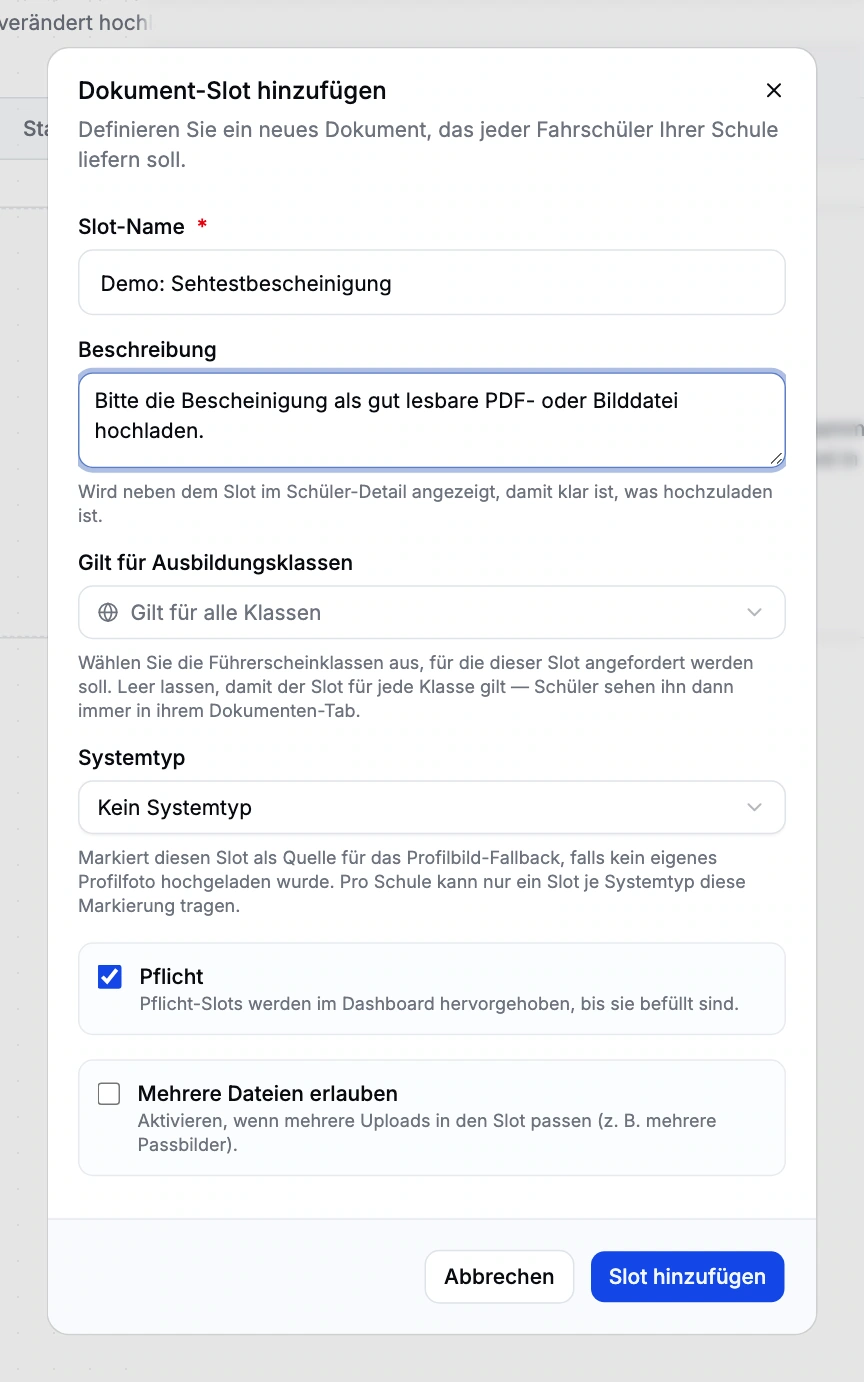
A document requirement has a name, description, licence-category scope and required flag. You decide whether multiple files are allowed. Students and staff can see which document belongs where.
Document templates can be created and edited. Generated documents remain associated with the student or training record. Signed PDFs and external scans can be retrieved for the relevant record.
External signers receive a time-limited link only for their document and intended signature. Students can share a revocable link with parents or representatives. This access does not open the complete student record.
Shared school files support the exchange of material within the team. Own uploads and other people’s files have different deletion permissions. The print centre groups documents and tags for organising print tasks.
Set the document, licence-category scope and required status.
Upload a file or generate a document from a template.
The intended person signs through the authorised document flow.
Check the document status and download the relevant signed version.
Signature capture does not provide a qualified electronic signature. The print centre organises documents and print tasks; it does not print directly to your printers.
No. Signing access applies to the intended document workflow and its roles. It does not provide general access to training, communication or invoices.
Yes. Document requirements have licence-category scope and required status. You can also specify whether multiple files may be uploaded.
Driving school management is in closed beta. Tell us about your school and workflows. We will discuss whether the scope, setup and access fit your school. Applying does not confirm admission or activate access.
Anyone working in the driving school management interface currently needs full school administration access. Finer office roles are not available yet. We plan responsibilities and access with you during onboarding.
Driving school management is in closed beta. Tell us about your school and workflows. We will discuss whether the scope, setup and access fit your school. Applying does not confirm admission or activate access.