Your feedback deserves more than a memory.
Capture a situation as soon as traffic allows, with its location, time and explanation. Once the lesson is synced, your student finds your feedback in exactly that place. And in the next lesson, you build on it instead of explaining it all again.
- GPS points recorded (operator figure)
- > 4 million
- learners supported (operator figure)
- > 1,000
Mistake · 20:26Turn taken too wide
SyncedAvailable to the student again
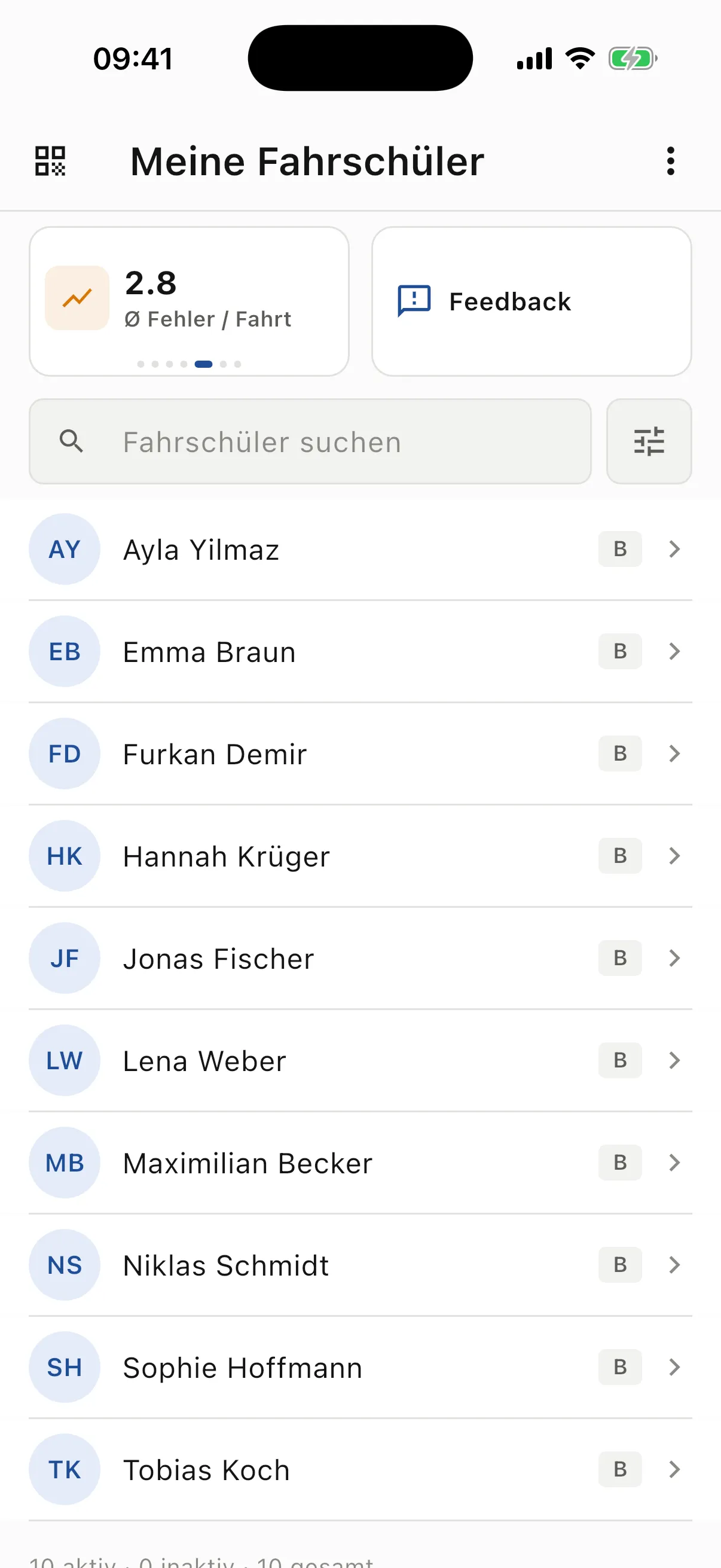
Student overview with search and average mistakes per lesson · German example interfaceUsage figures supplied by RoadReview. They describe use, not exam pass rates.
One piece of feedback, three moments
From a marked moment to the next exercise.
Between traffic, teaching and many students, the exact context of an explanation is easily lost. Here is how it stays intact, using a night drive as an example.
-
During the drive · 20:26
Mark it instead of memorising it.
Your student swings too wide on a turn. As soon as traffic allows, you set a marker, choose a log entry or record a short voice note. The started lesson links the entry to its GPS position and time.
Mistake20:26 · Lesson 4
Turn taken too wide
When turning left or right, the car touches the opposite lane or clips the kerb.
From the example lesson in the app · example data
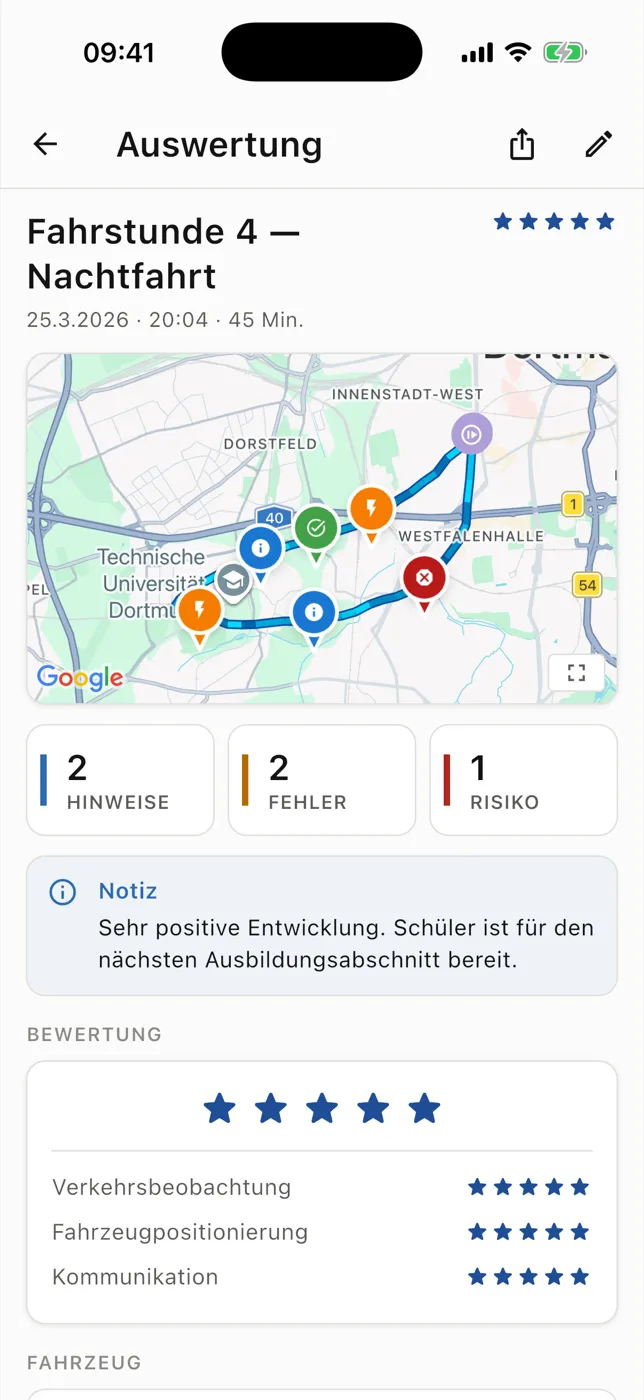
Example lesson review with route, learning markers and lesson notes · German example interface -
At completion · 20:49
Check, add, assess.
Before uploading, you go through the entries and add any missing situations. Assessment, learning points and next steps stay attached to the lesson. Information saved as private instructor notes does not appear as student feedback. Without a connection, you save the lesson locally and upload it later.
AssessmentLesson 4 — night drive
Traffic observation · Vehicle positioning · Communication
Stars per category, plus a note for the student.
From the example lesson in the app · example data
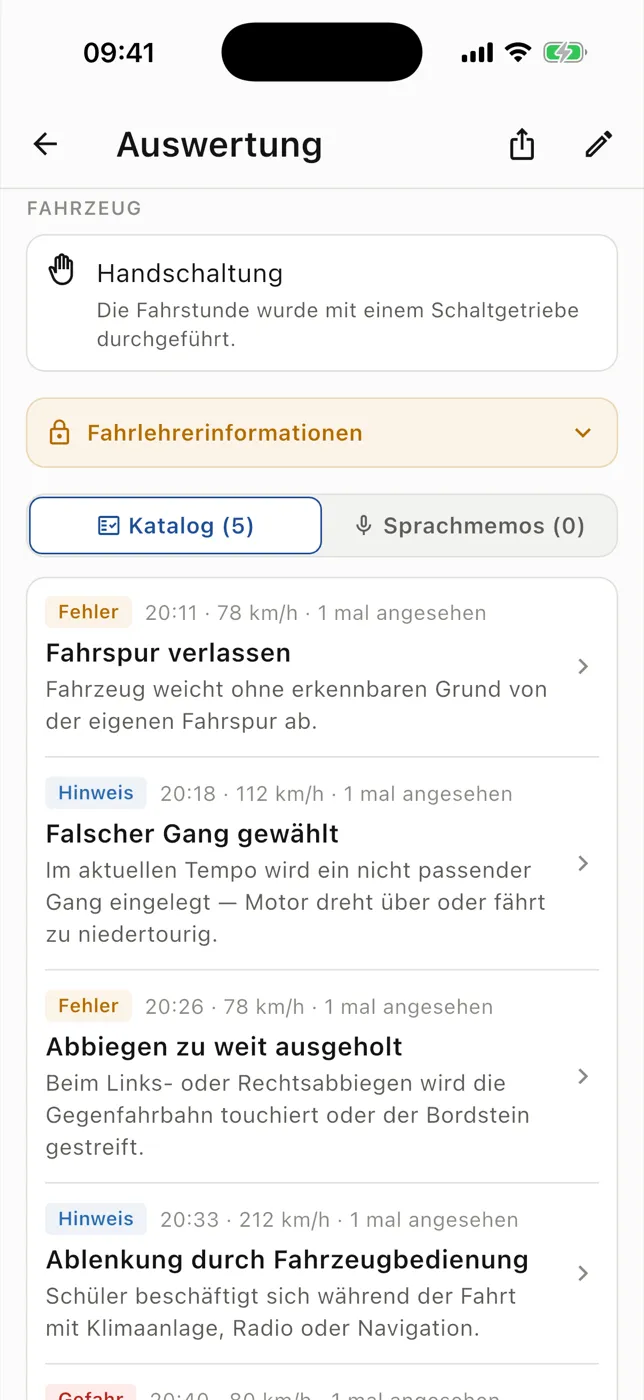
Recorded mistakes with explanations, time and severity · German example interface -
Before the next lesson
Pick up exactly there.
The student profile shows recent lessons, the training record and driving progress. The score gives orientation from recorded lessons; you can adjust it manually, and the professional judgement stays with you. If the student has added a self-assessment, you bring it into the next conversation.
Driving progressOrientation score
46 · Building up · “Adjust value”
Not a test assessment; it does not replace the judgement of the instructor or examiner.
From the example lesson in the app · example data
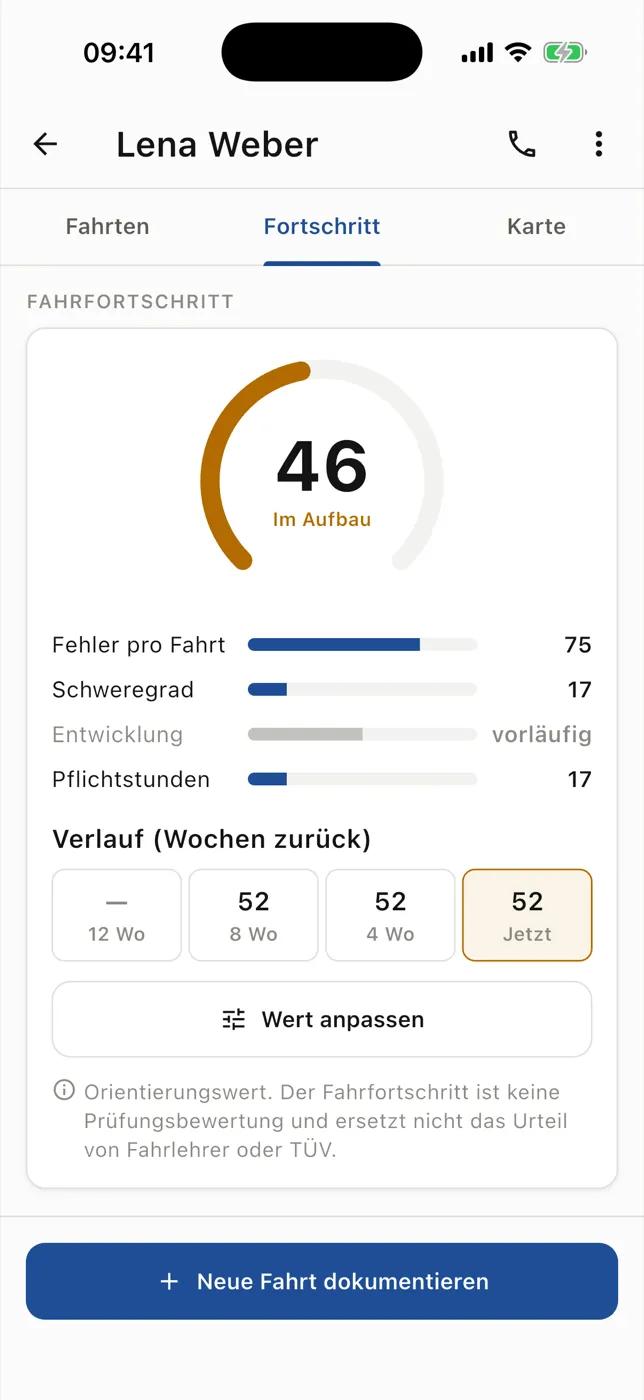
Driving progress with trend and orientation notice · German example interface
How your driving school gets started.
In four steps
Clarify participation and school linking through an interest enquiry.
Prepare a smartphone, location permission and microphone permission for audio.
Agree on the school’s task structure and documentation workflow.
Account for online services and later syncing in the workflow.
Plainly stated
- Teaching comes first
- You add markers, log entries and voice notes when traffic allows. Longer text belongs in the completion step.
- No pass rate
- RoadReview promises neither a pass rate nor a fixed time saving. The progress score is orientation.
- Connectivity
- Maps, transcription and route calculation need internet. Completed lessons can be saved locally and uploaded later.
- Optional hardware
- The core runs on a smartphone. GoPro and OBD are optional additions; we discuss suitable models with you.
The enquiry begins the conversation and does not automatically activate access. Optional hardware features depend on suitable devices and available features.
Questions from instructors
Do I need to type long texts while driving?
Markers, log entries and voice notes are part of the documentation workflow. Entries and summaries are checked at completion. Use must be appropriate for the traffic situation.
Who can see private instructor notes?
Lesson notes support shared review. Notes saved as private instructor notes are handled separately and do not appear as general student feedback.
What do I do without a connection?
A completed lesson can be saved locally for later upload. Maps, transcription and new queries on other devices still require internet.
Does the progress score replace my judgement?
No. It provides orientation from recorded lessons. A manual adjustment is provided; professional judgement and planning remain yours.
Is additional hardware required?
GPS documentation and student review are smartphone workflows. GoPro and OBD are optional additions; We will discuss suitable models, adapters and available features for your school.
Explore the features for your workflow
-
Lesson recording
Keep the route and feedback in one lesson record.
-
Practice spots
Choose practice locations for the next lesson.
-
Route catalogue
Reuse useful recorded routes across your school.
-
Training overview
See training activity and lesson review at a glance.
-
Optional: lesson video
Review available camera clips alongside feedback.
-
Optional: vehicle data
Read available vehicle values as added context.
Interested in RoadReview at your school?
Register your interest. We will discuss how to connect documentation and review at your school.