Before you grow, make the handovers work.
Who may do what? Who takes over when someone is off? Which vehicle suits the lesson? RoadReview brings team, permissions, planning and fleet together in one management product. The closed beta is for schools that want to set up these workflows with us.

Role: instructorOwn appointments and students; more only when granted
Closed betaParticipation by application
Closed beta demo view. Deliberately broad example permissions for a demo instructor; not a recommended default profile. The original product interface is shown in German.
Organisation that copes with absences
Who takes over when someone is off?
The more people, vehicles and appointments come together, the more clear responsibilities matter. Three situations from everyday school life.
-
Monday, 07:40
A sick call, and the plan stays readable.
Sickness is recorded directly as a reported absence; leave is approved or declined as a request. Affected appointments stay visible and are deliberately rescheduled; an approval alone does not cancel a lesson. The appointment dialog shows overlaps.
New appointment12 Oct 2026 · 09:00–09:45
Demo: category B practice lesson
Overlaps with existing entries appear below the form.
From the closed beta demo school · fictional data
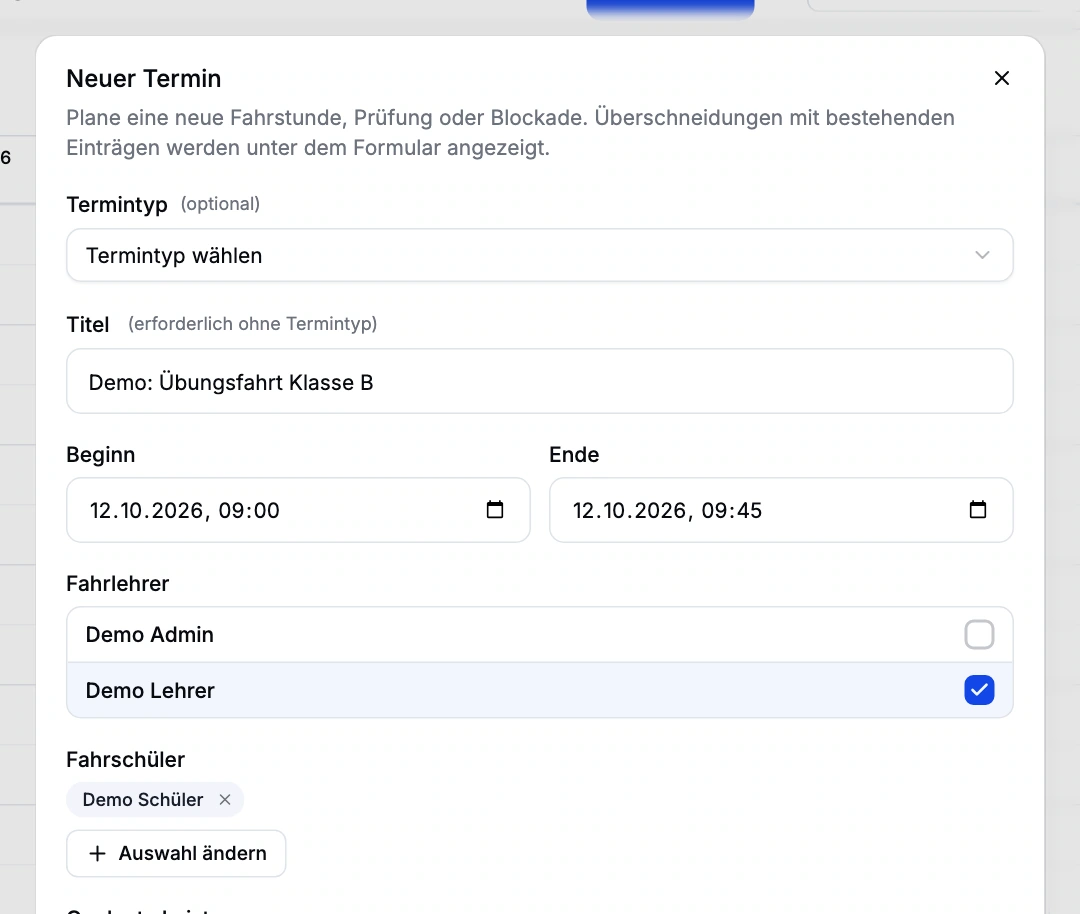
Closed beta demo view. Excerpt from a fictional appointment plan; no appointment saved. The original product interface is shown in German. -
Before the lesson
Schedule the right vehicle.
The vehicle record holds training categories, equipment and mileage. Vehicles can be assigned to appointments and planned in the resource view. With suitable lesson data, consumption and estimated costs are added, as a calculation rather than a full cost statement.
VehicleDemo vehicle
Category, plate, mileage
Add manually or prefill from available VIN data.
From the closed beta demo school · fictional data
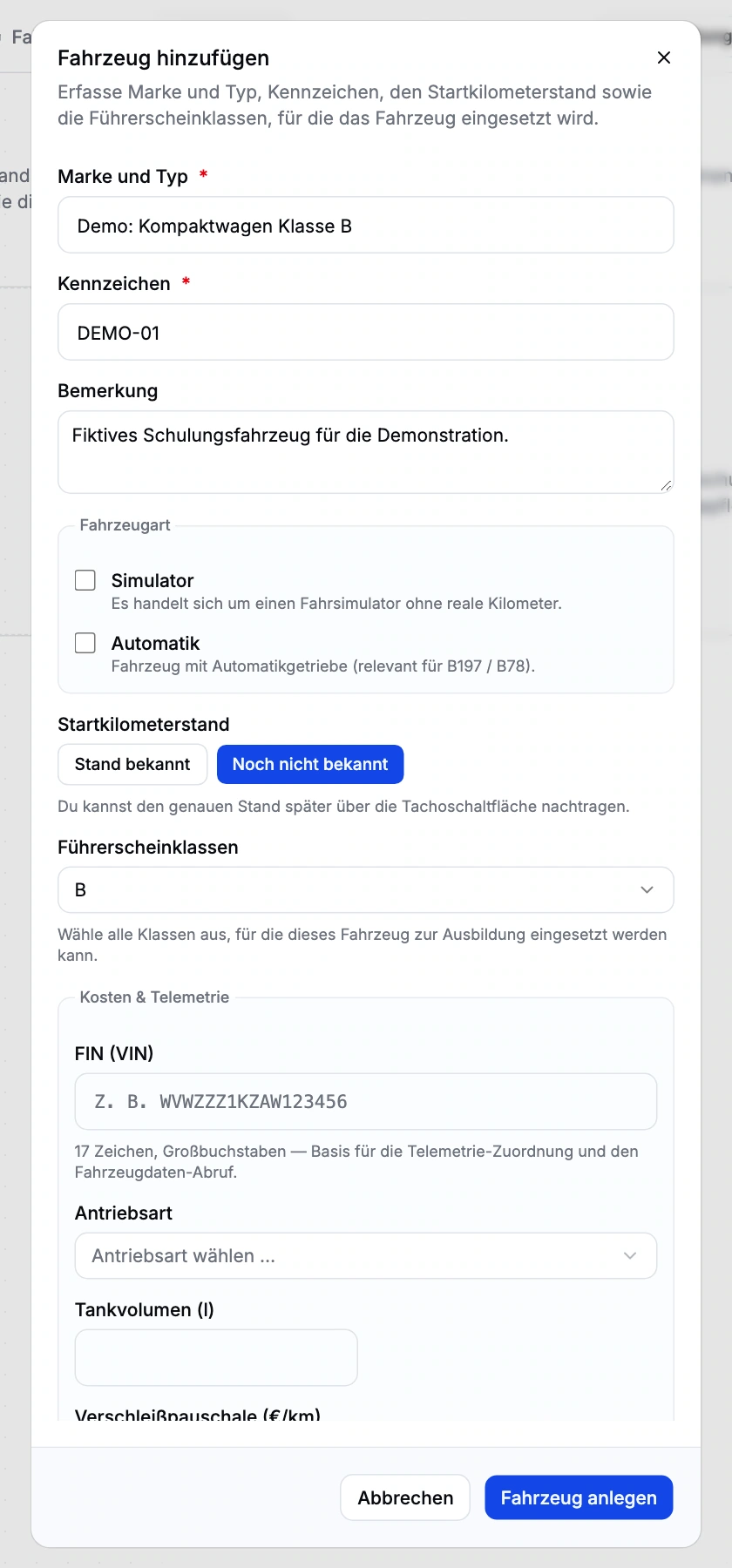
Closed beta demo view. Fictional vehicle; not saved. No real VIN or telemetry history. The original product interface is shown in German. -
At month end
Records per instructor and period.
Daily records and hour summaries are generated as PDFs for a chosen instructor and period. The working-time account credits configured appointment hours against targets; it is neither time clocking nor payroll.
ReportsDemo instructor · 28 Sep–4 Oct 2026
Daily record · Hour summary
PDF export; the demo shows the configuration, not a generated document.
From the closed beta demo school · fictional data
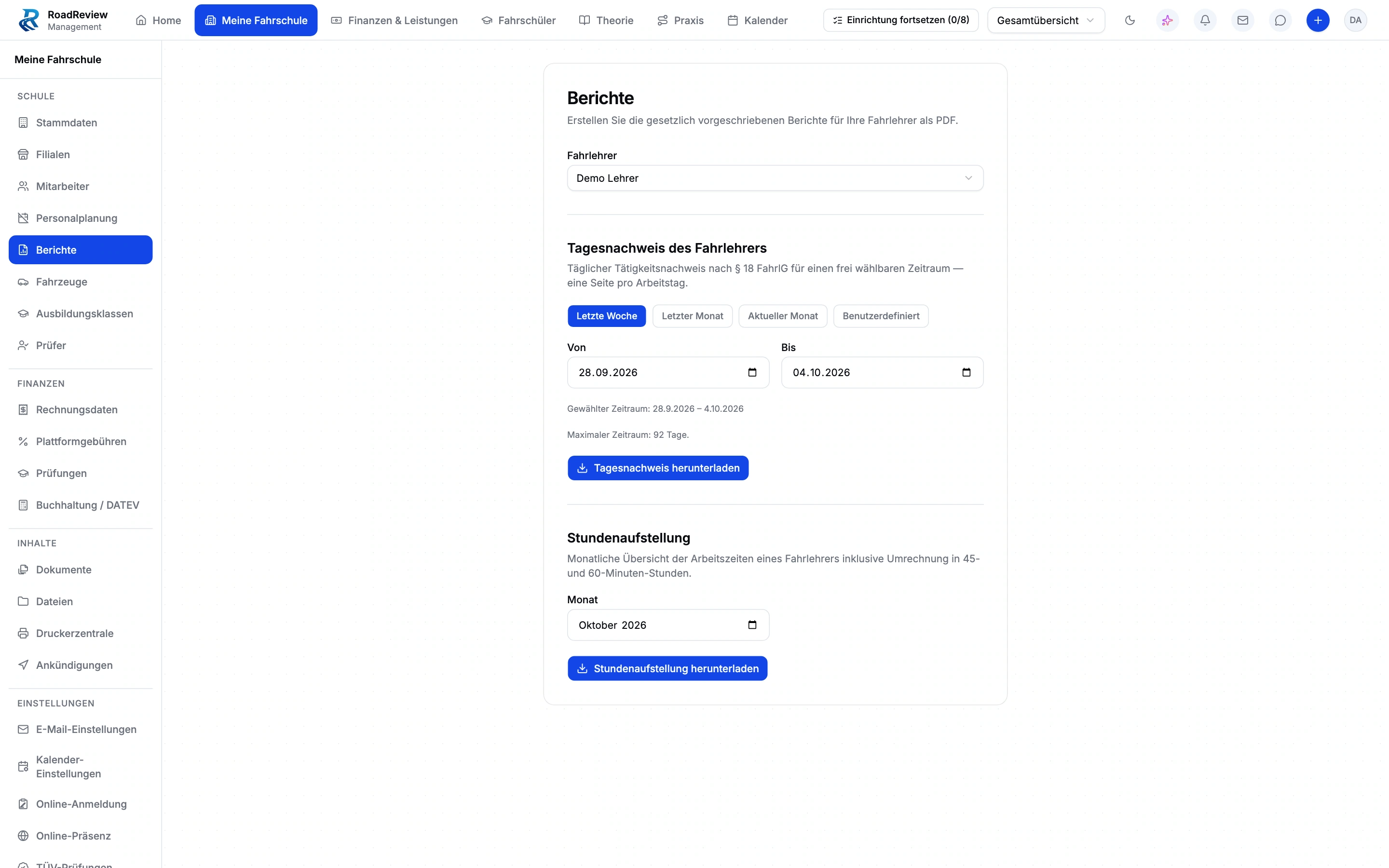
Closed beta demo view. Export configuration; no record PDF generated. The original product interface is shown in German.


The areas behind your organisation.
-
Staff & reports
Staff records, leave, target hours and appointment-based credits support workforce planning. Reports help you hand over scheduled and recorded hours.
Explore the module and workflow -
Fleet
Keep vehicles with their training categories, odometer readings and equipment. Where suitable lesson data exists, consumption and estimated costs add context to the vehicle record.
Explore the module and workflow -
Finance & services
The service ledger, invoice and payment belong to the same workflow. Office staff can see what was delivered, what remains to be invoiced and which balance is outstanding.
Explore the module and workflow -
Online presence
Maintain branding, staff, vehicles, services and locations in the same management system. Prepare the public presentation through its own draft and publication process.
Explore the module and workflow -
AI assistant
The school-scoped assistant connects questions to existing management functions. Significant changes remain subject to your permissions and the required approvals.
Explore the module and workflow -
Exam management
Plan exams and record attempts and results with the student. Training progress and read-only TÜV Nord status support preparation for the next step.
Explore the module and workflow
Assess onboarding against everyday work.
Driving school management is in closed beta. Tell us about your school and workflows. We will discuss whether the scope, setup and access fit your school. Applying does not confirm admission or activate access.
How applying works
Describe your school and workflows in the application.
Check together whether scope, setup and access fit.
Define responsibilities and access during onboarding.
Configure and check payments, email and live classes together.
Plainly stated
- Closed beta
- Applying does not confirm admission or activate access.
- Office access
- Anyone working in the driving school management interface currently needs full school administration access. Finer office roles are not available yet. We plan responsibilities and access with you during onboarding.
- No promised savings
- This page does not promise measured time savings, returns or pass rates. The working-time account replaces neither time clocking nor payroll.
- Existing records
- Existing RoadReview profiles can be linked. Complete migration from arbitrary management systems is not promised.
- External systems
- DATEV is available as export files; you still register TÜV Nord exams in the portal.
Questions from owners
How do we get access?
Driving school management is in closed beta. Tell us about your school and workflows. We will discuss whether the scope, setup and access fit your school. Applying does not confirm admission or activate access.
Does RoadReview promise a particular saving?
This page does not promise measured time savings, returns or pass rates. The value comes from specific connected workflows. Whether those fit is discussed for your school.
How should your management workflow fit together?
Driving school management is in closed beta. Tell us about your school and workflows. We will discuss whether the scope, setup and access fit your school. Applying does not confirm admission or activate access.