Find the record. Take the next step.
Student intake, missing documents, scheduling and invoices belong to the same office routine. RoadReview keeps the context with the student and leads to the next specific task.

IntakeEven without a student app account
Closed betaParticipation by application
Closed beta demo view. Fictional intake example; not saved. The original product interface is shown in German.
One case, three handovers
From first contact to invoice.
In the office, what matters is a clear next step. This is how context stays with the student, from intake to invoicing.
-
Intake
Find the right student.
Search and filters by status, category and instructor show who is waiting for intake and who belongs to which instructor. You can also add students without an app account: manually, by school code or through online registration.
Student list
Status · Category · Instructor
Filters for specific office questions before you open the profile.
From the closed beta demo school · fictional data
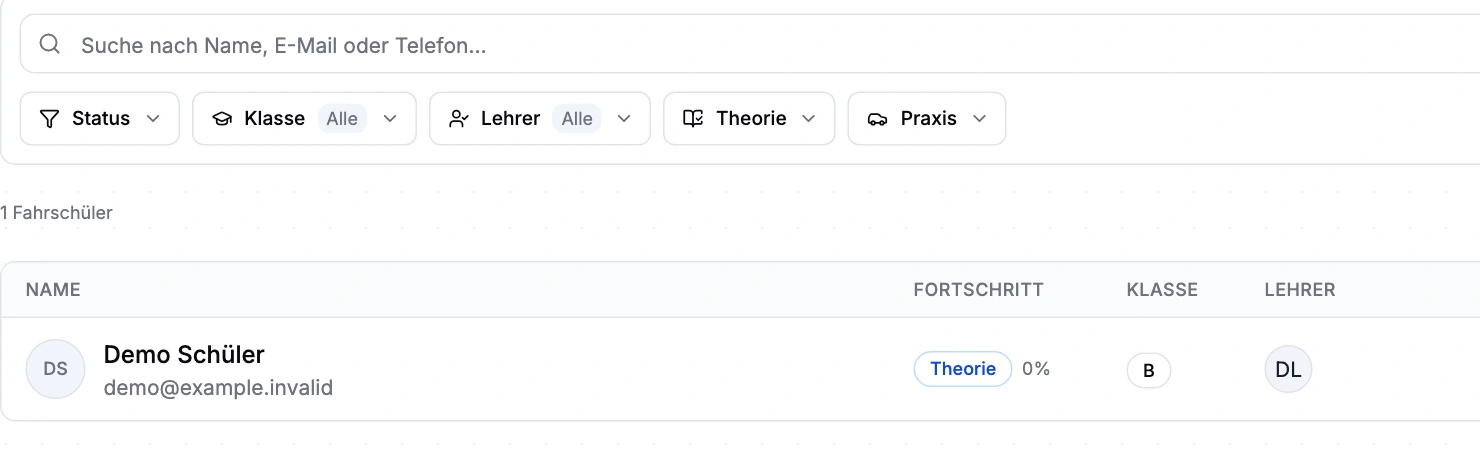
Closed beta demo view. The list contains one fictional student. The original product interface is shown in German. -
Documents
Request missing documents specifically.
Document requirements define required status and licence-category scope. Uploads and signatures stay with the relevant document. External signature links do not open the complete student record.
RequirementRequired
Eyesight test
Fictional requirement with upload guidance.
From the closed beta demo school · fictional data
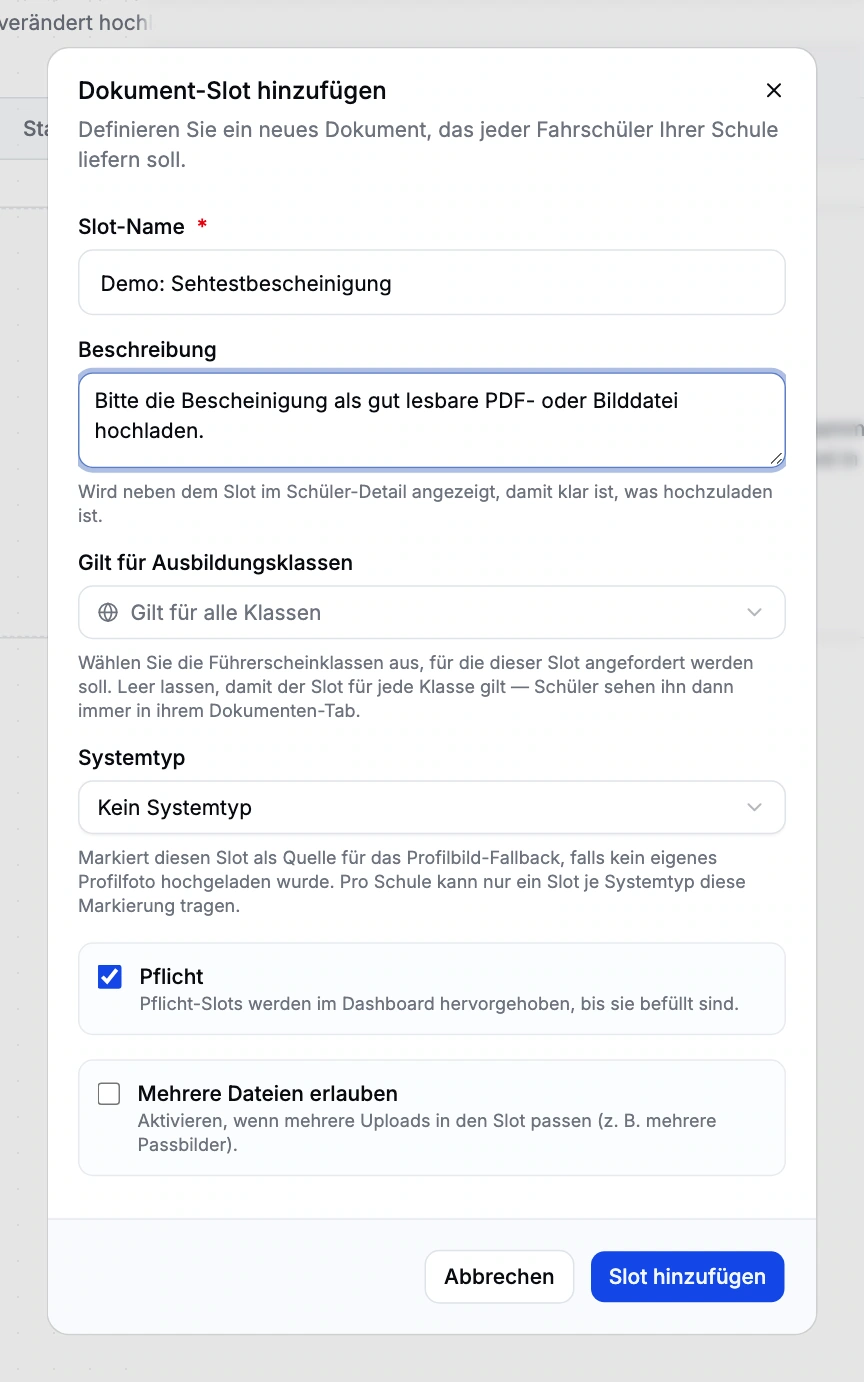
Closed beta demo view. Fictional requirement; not saved. No certificate uploaded. The original product interface is shown in German. -
Invoicing
Confirmed first, then invoiced.
The instructor confirms the services actually delivered with the student’s signature. Office staff review those items in the service ledger, choose the recipient and create the draft. DATEV files then go to accounting.
Service ledger
Planned → delivered → invoiced
A booking alone is not yet a billable confirmation.
From the closed beta demo school · fictional data
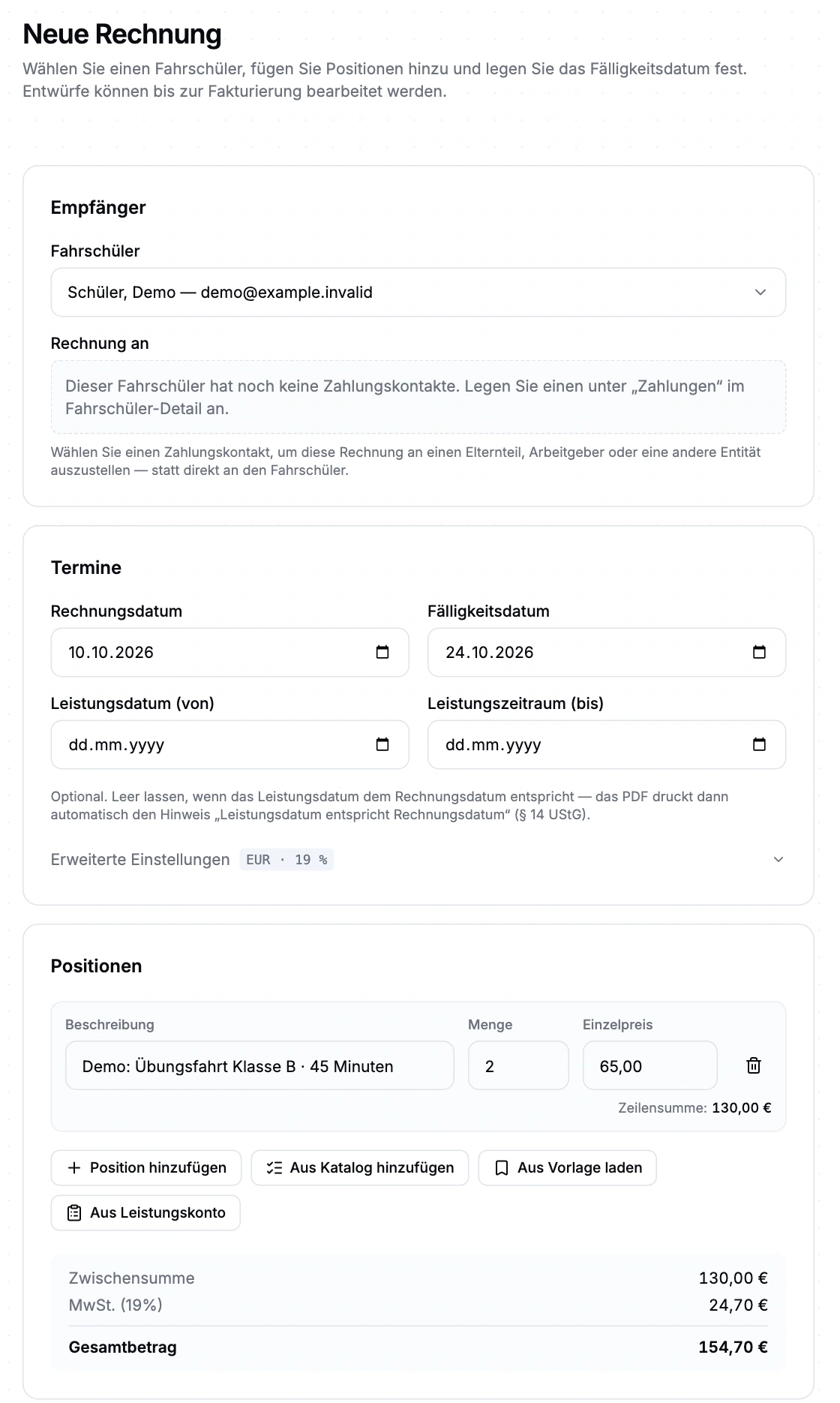
Closed beta demo: a fictional, unsaved invoice example from a demo school, not a real invoice. Amounts are sample lesson prices, not RoadReview pricing. The original product interface is shown in German.


The areas for your office routine.
-
Student management
Keep intake, training, documents and outstanding services together with the student. Check the current status before handling the next appointment, approval or invoice.
Explore the module and workflow -
Online registration
Direct registration, confirmation or offer: the school chooses when to make its decision and which steps the student follows next.
Explore the module and workflow -
Calendar & appointments
Bring instructors, students, vehicles, branches and rooms into one schedule. Availability, buffers and absences help you find suitable times.
Explore the module and workflow -
Documents & signatures
Define required documents by licence category, collect uploads in the student record and work with templates and document-specific signatures.
Explore the module and workflow -
Finance & services
The service ledger, invoice and payment belong to the same workflow. Office staff can see what was delivered, what remains to be invoiced and which balance is outstanding.
Explore the module and workflow -
Theory organisation
The topic catalogue, courses, sessions and attendance form one theory workflow. See the status of each training record and plan for missing topics.
Explore the module and workflow
Assess onboarding against everyday work.
Driving school management is in closed beta. Tell us about your school and workflows. We will discuss whether the scope, setup and access fit your school. Applying does not confirm admission or activate access.
How applying works
Describe your school and workflows in the application.
Check together whether scope, setup and access fit.
Define responsibilities and access during onboarding.
Configure and check payments, email and live classes together.
Plainly stated
- Closed beta
- Applying does not confirm admission or activate access.
- Office access
- Anyone working in the driving school management interface currently needs full school administration access. Finer office roles are not available yet. We plan responsibilities and access with you during onboarding.
- Signatures
- Signature capture does not provide a qualified electronic signature.
- Payment methods
- We set up and check the payment methods that suit your school during beta onboarding.
- External systems
- DATEV is available as export files; you still register TÜV Nord exams in the portal.
Questions from office teams
How do we get access?
Driving school management is in closed beta. Tell us about your school and workflows. We will discuss whether the scope, setup and access fit your school. Applying does not confirm admission or activate access.
Can someone else pay the student’s invoice?
The profile supports separate billing contacts, such as parents or employers. Choose the relevant recipient in the invoice draft; payment methods depend on the active setup.
Tell us how your office works.
Driving school management is in closed beta. Tell us about your school and workflows. We will discuss whether the scope, setup and access fit your school. Applying does not confirm admission or activate access.