Lesson recording In use

The lesson ends. The details stay.

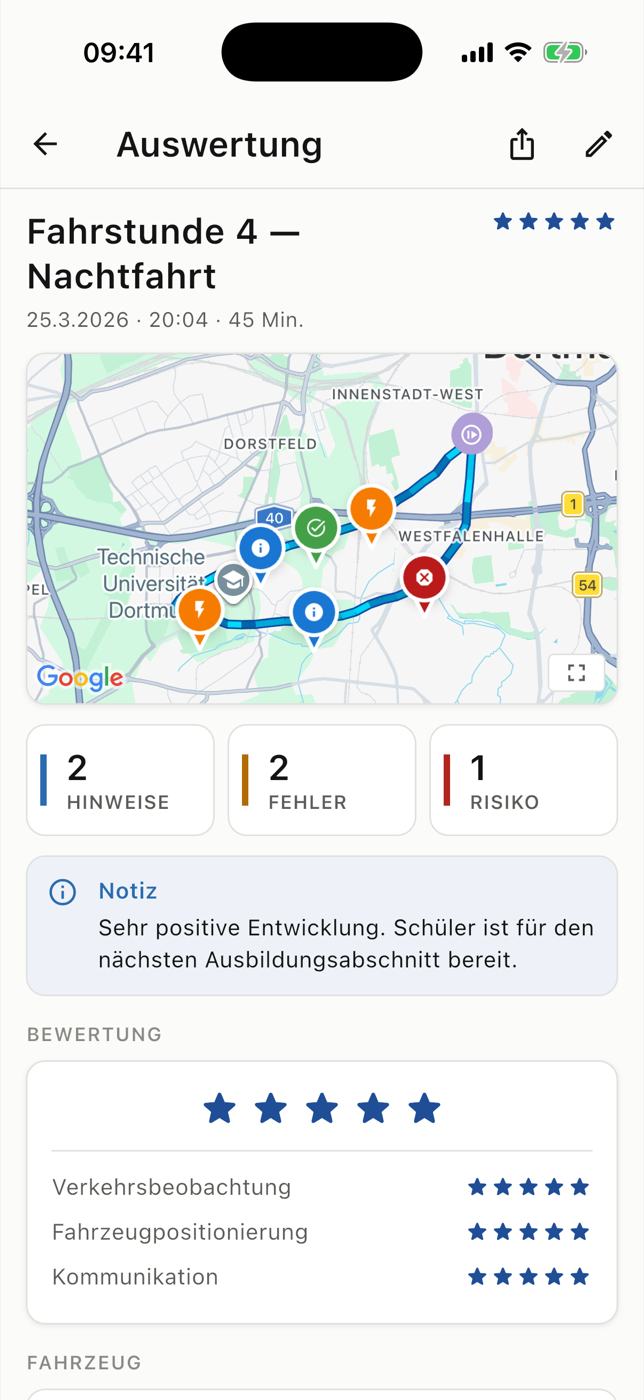
RoadReview connects the driven route with the situations your instructor records. Once the lesson is synced, you can both review the same record.

Example lesson review with route, learning markers and lesson notes
Example lesson review with route, learning markers and lesson notes · German example interface

What a recorded lesson includes

After a lesson, there is a lot to remember: junctions, feedback and new tasks. A GPS track alone cannot explain what was difficult. RoadReview brings the route and the recorded situations together.

Keep the route and feedback together

GPS recording begins when the instructor starts the lesson. Markers, logged mistakes and voice notes are associated with the drive. Recording can be paused and resumed, and the lesson is reviewed before completion.
Upload when a connection is available

A completed lesson can be saved locally for a later upload. This keeps the record available when there is no connection. Other devices see the new lesson after it has synced successfully.

A starting point for the next lesson

The route, assessment, learning notes and next steps remain attached to the lesson. Students can revisit specific places; instructors can check the context before the next drive.

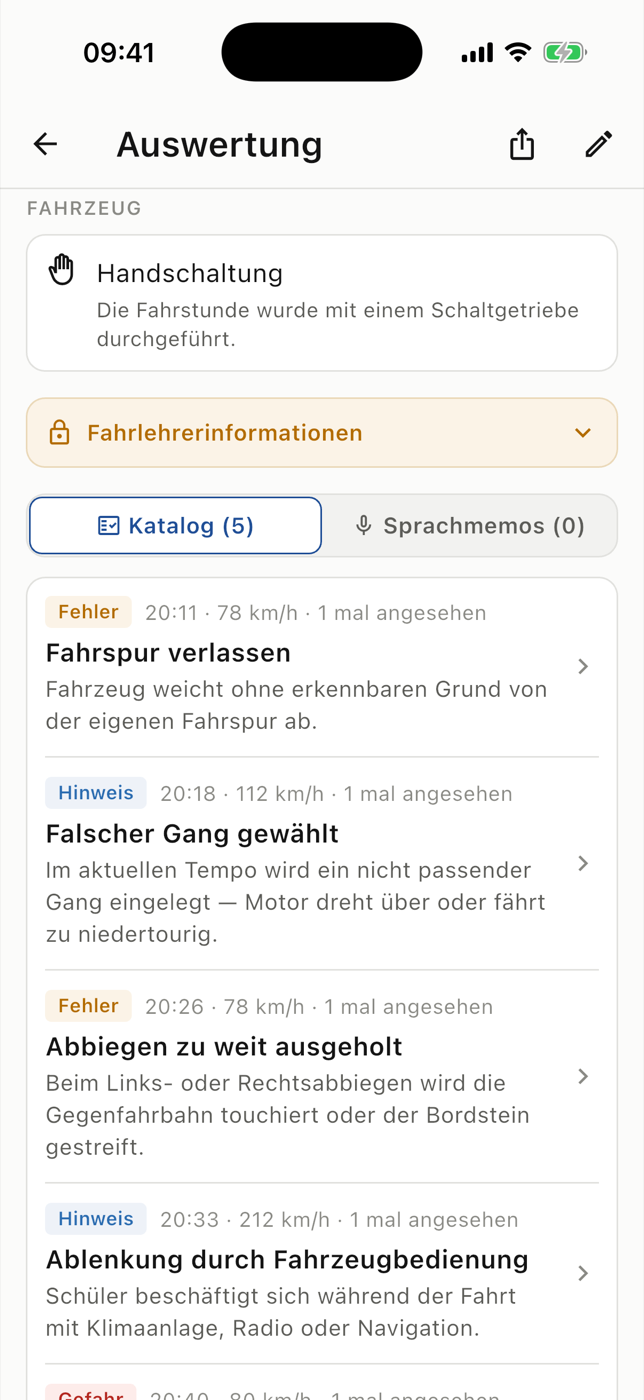
Recorded mistakes with explanations, time and severity
Recorded mistakes with explanations, time and severity · German example interface

Three steps

From starting to syncing a lesson

  1. Prepare the lesson

    Choose the student, lesson type and planned scope.

  2. Drive and record

    Record GPS positions and relevant situations.

  3. Review and sync

    Check the entries and next steps, then upload now or later.

GPS, connectivity and later access

Location permission and suitable GPS reception are required. Maps and other online services need a connection. GPS recording does not record video; a camera is an optional addition.

Students use RoadReview through a participating driving school. New schools can register their interest; the enquiry does not automatically activate access.

Questions about lesson recording

Do I need a camera?

You do not need a GoPro or an OBD adapter for GPS documentation and lesson review. Those devices are optional additions to the smartphone workflow.

Does everything work offline?

Completed lessons can be saved locally and uploaded later. Maps, transcription and access from other devices require internet.

When can the student see the lesson?

After a successful upload, the synced lesson is available for review in the linked student account.

Revisit your driving lessons later.

Ask whether your driving school uses RoadReview. Access is provided through the participating school. You can send an enquiry to recommend RoadReview to your school.