Student management Closed Beta

One student record. Every next step.

Keep intake, training, documents and outstanding services together with the student. Check the current status before handling the next appointment, approval or invoice.

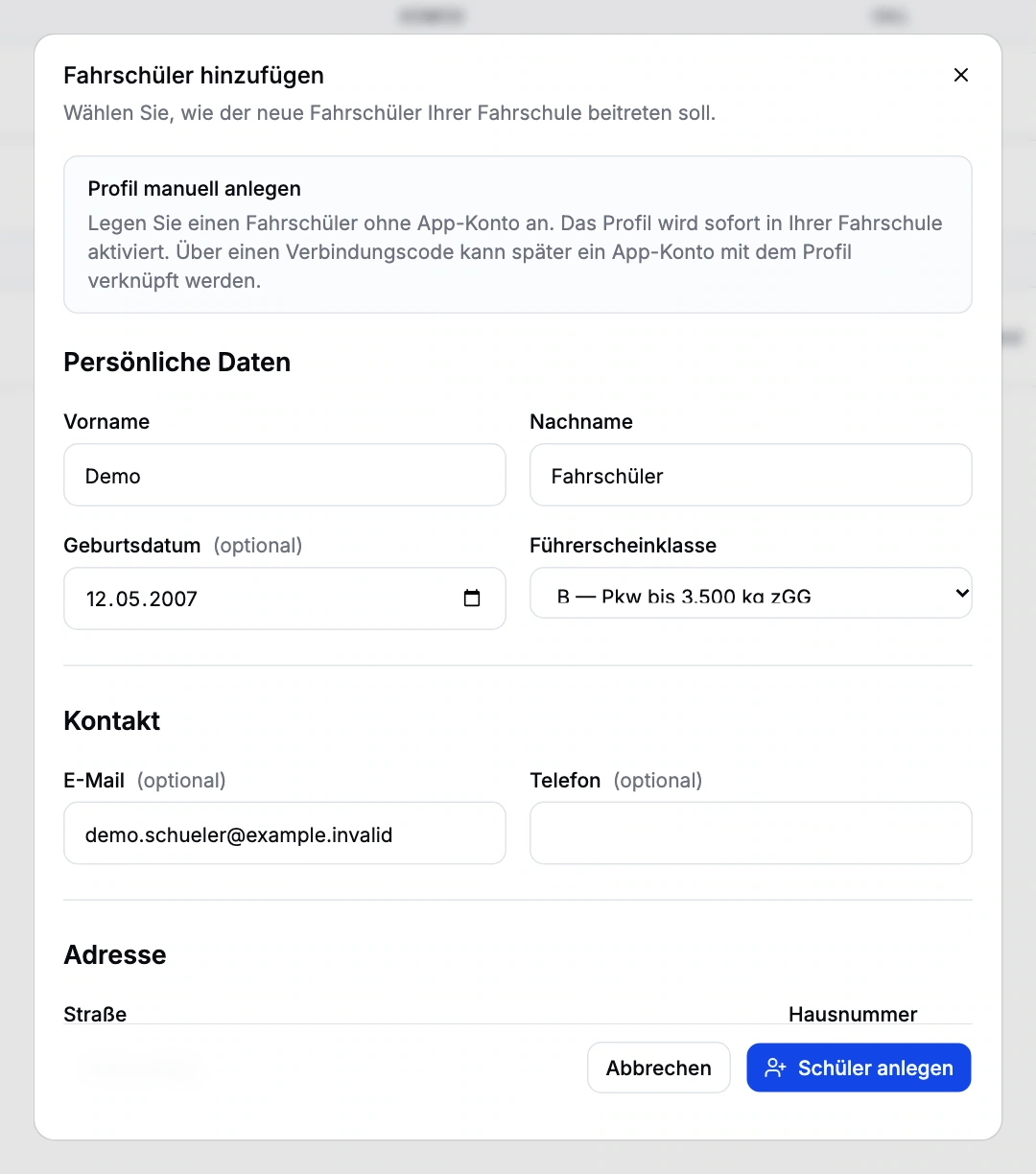
Manual intake form with fictional personal details and licence category B. Enlarge view (new tab)
Closed beta demo view. Fictional intake example; not saved. The original product interface is shown in German.

Connect intake and student records

Find the right student

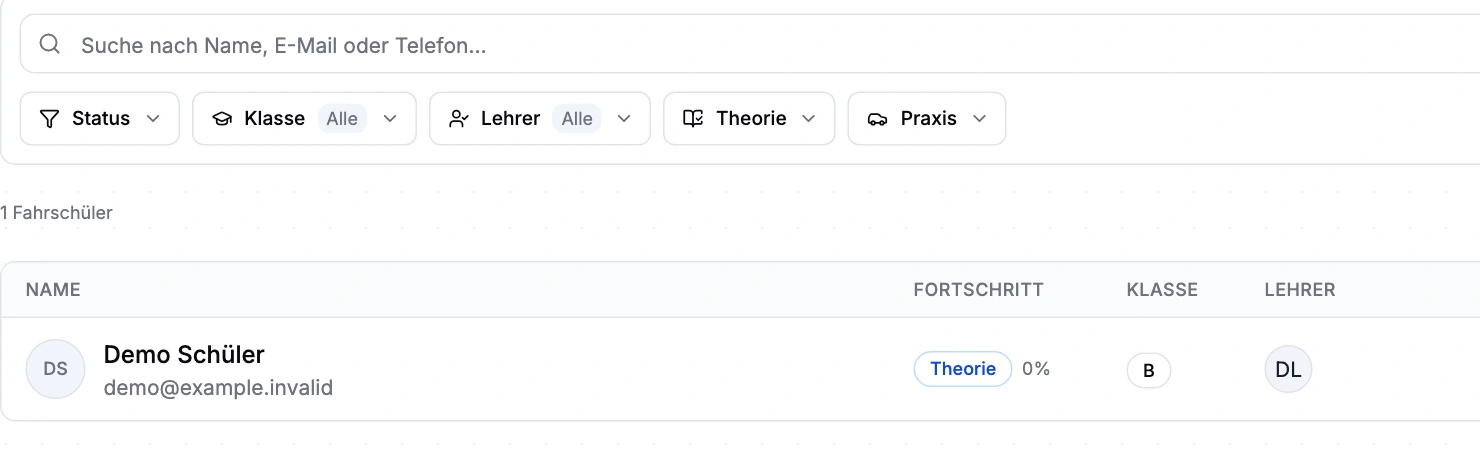
Search and filter by status, licence category, instructor and training stage to answer everyday office questions: who is waiting for intake, and who is assigned to each instructor? The list provides context before you open a profile.
One person, several training records

The personal profile, school membership and training record for each licence category are separate. A student can take several categories in parallel. Progress and training documents belong to the relevant course; school access follows membership.

Start with or without an app account

Office staff can enter personal details and a licence category manually. School codes, online registration and existing RoadReview profiles provide other intake paths. An existing profile can be linked to an app account later.

Let the record guide the next task

The profile brings together instructor assignments, theory, lessons, exams, courses, documents, billing contacts, invoices and services. Separate billing contacts support payments by parents or employers. Activity records help staff follow changes.

From intake to ongoing training

  1. Record intake

    Enter the profile and licence category, or review a pending registration.

  2. Assign

    Assign training and an instructor; check required documents.

  3. Follow progress

    Follow appointments, attendance, lessons and results in the record.

  4. Invoice

    Select delivered services and the correct billing contact for the invoice.

Find students by status and category

The real interface with sample data from a demo school. Open the image to inspect the details.

Student-list crop showing search, status, category and instructor filters and the fictional demo student. Enlarge view (new tab)
Closed beta demo view. The list contains one fictional student. The original product interface is shown in German.

Review existing student data before onboarding

The existing import covers RoadReview profiles. It does not establish a complete migration from arbitrary third-party systems or CSV files.

Questions about intake and student records

Can a student take several licence categories?

Yes. One person can have several training records, including at different schools. Progress and documents remain associated with the relevant training record. Each school accesses data through its own membership.

Does a new student need an app account?

No. Office staff can enter personal details and a licence category manually and link the profile to an app account later.

How do we get access?

Driving school management is in closed beta. Tell us about your school and workflows. We will discuss whether the scope, setup and access fit your school. Applying does not confirm admission or activate access.

What access does our office team need?

Anyone working in the driving school management interface currently needs full school administration access. Finer office roles are not available yet. We plan responsibilities and access with you during onboarding.

How do you bring new students into your school?

Driving school management is in closed beta. Tell us about your school and workflows. We will discuss whether the scope, setup and access fit your school. Applying does not confirm admission or activate access.