Tasks that fit the school
School-specific templates organise categories and tasks. The instructor records practised topics as part of the lesson workflow. The record reflects the documented training progress within the school’s chosen structure.
The training record connects task areas, recorded practice and progress so far. Instructors and students can use it as a shared basis for the next lesson.
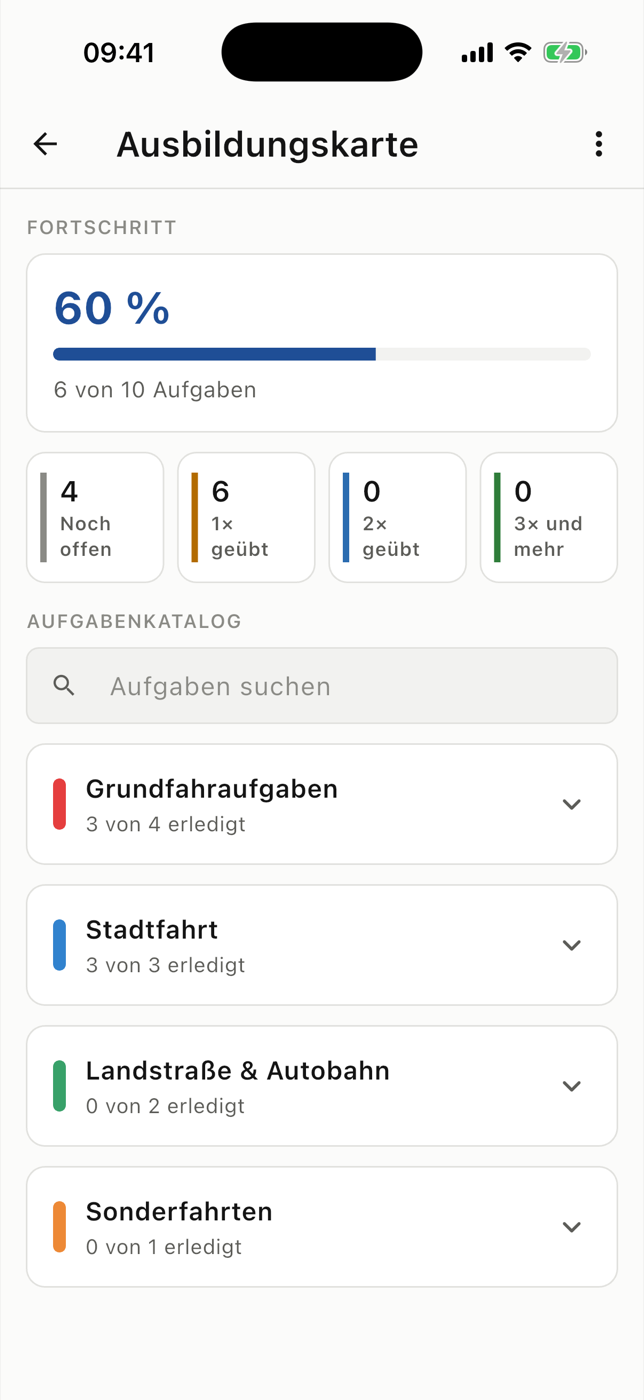
Individual lessons do not show which tasks have already been covered. The training record organises practice across several lessons. This lets you discuss specific tasks rather than just the number of drives.
School-specific templates organise categories and tasks. The instructor records practised topics as part of the lesson workflow. The record reflects the documented training progress within the school’s chosen structure.
Practice logs and history show which tasks have been covered. This helps with preparation: what was practised recently, what is still open and which exercise should be repeated?
The PDF export makes the recorded progress readable outside the app. It supports discussions and personal filing. Exporting a PDF alone does not establish official recognition as a training certificate.
Three steps
Use the school’s task structure as the starting point.
Record the topics practised during the lesson.
Review history and open tasks before the next lesson.
The record shows documented practice and does not replace the instructor’s professional assessment. PDF export does not promise official recognition or a particular audit certification.
Students use RoadReview through a participating driving school. New schools can register their interest; the enquiry does not automatically activate access.
It organises tasks and their recorded practice status. In RoadReview, this view is called the training record.
RoadReview supports school-specific templates, categories and tasks. The structure used depends on the school.
You can export the record as a PDF. It makes the recorded progress readable; it does not imply blanket official recognition.
Ask whether your driving school uses RoadReview. Access is provided through the participating school. You can send an enquiry to recommend RoadReview to your school.