Finance & services Closed Beta

From a delivered lesson to a settled invoice.

The service ledger, invoice and payment belong to the same workflow. Office staff can see what was delivered, what remains to be invoiced and which balance is outstanding.

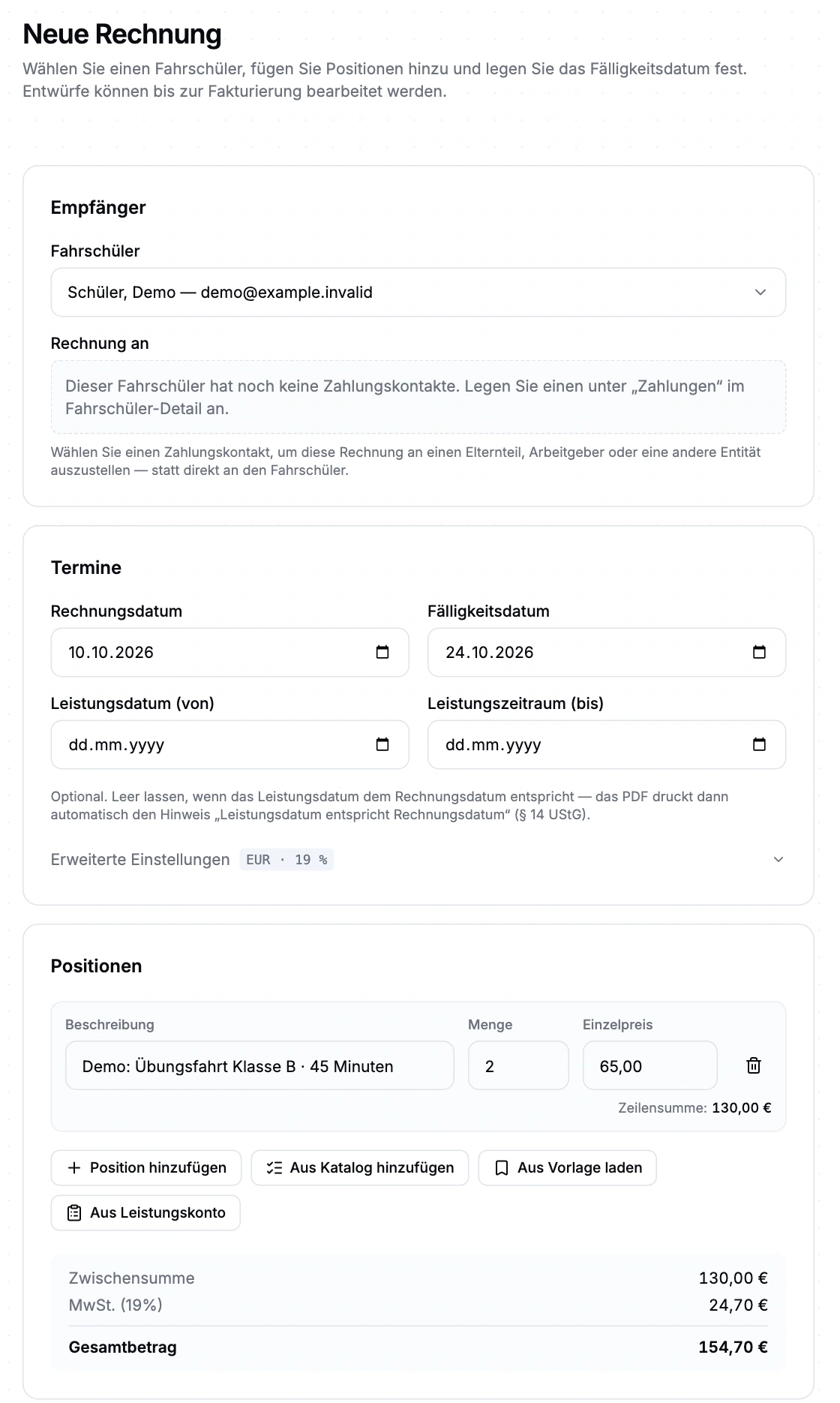
Invoice form with a demo recipient, service item, due date and calculated total. Enlarge view (new tab)
Closed beta demo: a fictional, unsaved invoice example from a demo school, not a real invoice. Amounts are sample lesson prices, not RoadReview pricing. The original product interface is shown in German.

Manage delivered services, invoices and payments

Planned, delivered, invoiced

The service catalogue connects services with categories and appointment types. Planned entries become delivered services after execution is confirmed; invoicing moves them to invoiced status. Cancelled items have a separate status. Booking an appointment alone is not a confirmation of delivery.

Build invoices from specific items

Choose the student or billing contact, due date and service period. Add items manually, from a catalogue or template, or from delivered services. The workflow includes drafts, issuing, PDFs, delivery, payments and cancellation; automation rules can be configured by school and student.

E-invoices and DATEV files

Factur-X/ZUGFeRD data is embedded as XML in a PDF/A-3 document. Accounting uses a DATEV EXTF/ZIP export with export history. Files can be handed over to the next accounting step; this export path does not include an ongoing DATEV cloud connection.

Match payments with a clear record

Manage bank accounts manually or through a FinAPI connection that we set up and check with your bank during beta onboarding. Reconciliation distinguishes clear matches, suggestions for confirmation and manual assignments. We also configure payment links and collection with your school’s payment provider and check which payment methods you can use.

Handle outstanding balances

The finance overview combines open, overdue and paid invoices with service balances. Reminder stages and deadlines are configurable; cases can be paused and resumed. An escalation marker records the status and does not automatically hand a case to a collection agency.

Follow confirmed services through to accounting

  1. Confirm delivery

    The instructor confirms services after the lesson; the student signs.

  2. Create an invoice

    Office staff check the recipient and items from the service ledger.

  3. Reconcile payment

    Match the payment or follow up on a genuinely outstanding balance.

  4. Export

    Hand over invoice data as DATEV files for further accounting.

Check banking and payment methods during onboarding

Invoice payments and advance payments during registration are separate workflows. Registration advance payments are not yet available for every school. We discuss and check suitable payment methods during beta onboarding.

Invoices are generated as ZUGFeRD/Factur-X PDFs. This format does not replace GoBD certification or a review of your accounting process.

Questions about services and invoices

Is DATEV a cloud sync?

DATEV is available as EXTF/ZIP export files with export history. Direct transfers to the DATEV cloud are currently unavailable.

Who receives the invoice when parents pay?

You can add a separate billing contact to the student profile and choose that contact as the invoice recipient.

How do delivered lessons reach the invoice?

The instructor confirms delivered services with the student’s signature. Office staff transfer delivered items from the service ledger to the invoice draft. Planned lessons alone are not enough.

How do we get access?

Driving school management is in closed beta. Tell us about your school and workflows. We will discuss whether the scope, setup and access fit your school. Applying does not confirm admission or activate access.

What access does our office team need?

Anyone working in the driving school management interface currently needs full school administration access. Finer office roles are not available yet. We plan responsibilities and access with you during onboarding.

How do you hand delivered lessons over for billing?

Driving school management is in closed beta. Tell us about your school and workflows. We will discuss whether the scope, setup and access fit your school. Applying does not confirm admission or activate access.