Service billing
Bookable appointment types and service categories connect booking and teaching. After the lesson the instructor confirms delivered services with the student’s signature; office staff transfer those items from the ledger into an invoice.
From booking to confirmed delivery
- Assign the appointment type and service category
- Confirm delivery with the learner’s signature
- Choose delivered items for the invoice
Planned, delivered, invoiced
The service catalogue connects services with categories and appointment types. Planned entries become delivered services after execution is confirmed; invoicing moves them to invoiced status. Cancelled items have a separate status. Booking an appointment alone is not a confirmation of delivery.
Build invoices from specific items
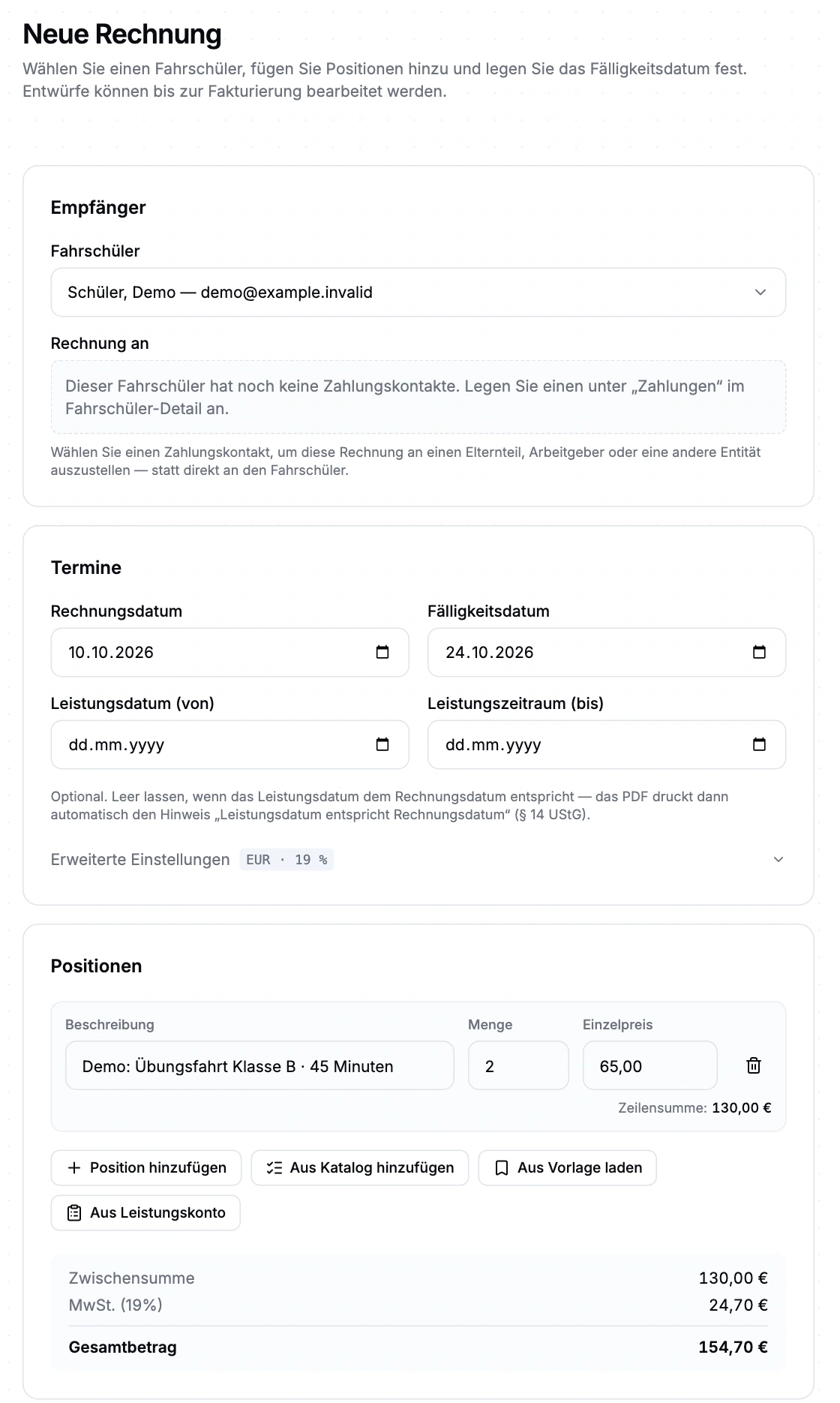
Choose the student or billing contact, due date and service period. Add items manually, from a catalogue or template, or from delivered services. The workflow includes drafts, issuing, PDFs, delivery, payments and cancellation; automation rules can be configured by school and student.
Requirements and boundaries
Planned items have not yet been delivered. Confirmation and invoicing are separate steps. Registration advance payments use a different, limited payment path.
Service billing: the demo view
The real closed beta interface with sample data. Open the image to inspect its form fields and settings.
Frequently asked questions
Is a booked lesson immediately invoiced?
Booking creates planned services. Delivered items become available for invoicing after the lesson’s delivery is confirmed.
Who creates the invoice?
Authorised users select the learner or billing contact and invoice items in school management. Issuing and delivery are separate steps.
Are registration advance payments the same workflow?
No. Registration advance payments use a separate payment path with its own limitations. We discuss the available scope before beta participation.
How do we get access?
Apply for the closed beta. Scope, setup and admission are discussed; no immediate activation.
Help shape the management beta.
We discuss scope, setup and conditions before arranging participation. Applying does not activate access.